

EdgeTariff for WooCommerce
Install EdgeTariff and inspire overseas buyers to make informed purchases. Show them the cost of
goods, shipping charges and expected duties & taxes on the WooCommerce checkout, all driven from the world’s freshest & largest customs compliance applications.
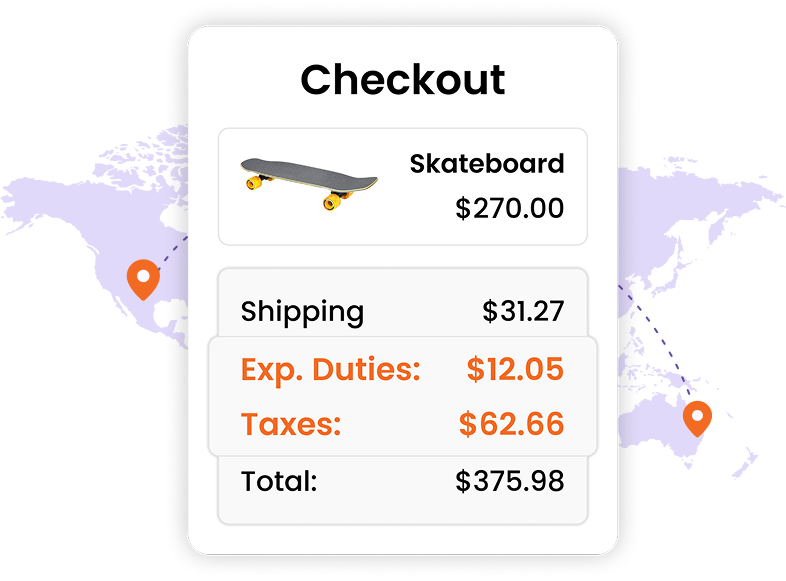
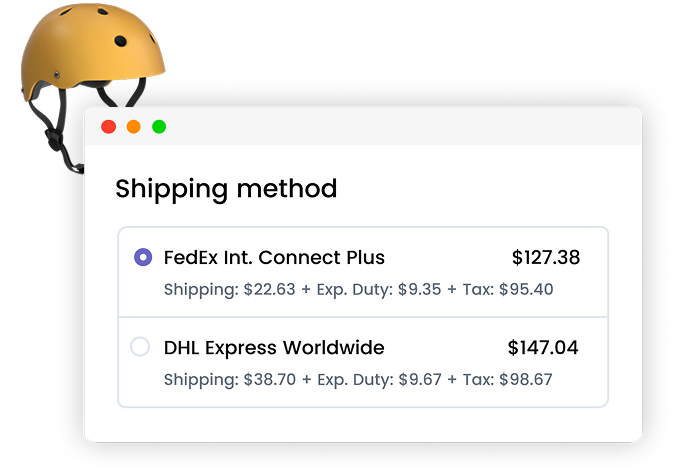
Expected Duties & Taxes
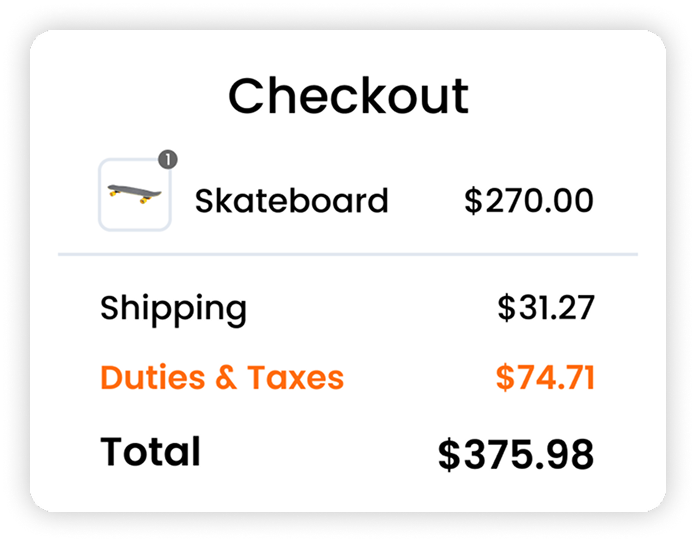
Show on your WooCommerce checkout, to overseas buyers, the Total Landed Cost (TLC) for cost of goods, shipping, and expected duties & taxes, in real-time calculations across 208 countries. Resulting in:
- Less post-purchase buyer’s remorse
- Increased confidence to buy again (loyalty)
- Simplicity with Delivery & Duty Paid (DDP) terms
- Improved cash flow – you collect it all upfront
- Grow your business globally (and simply)
Product Pre-Classification
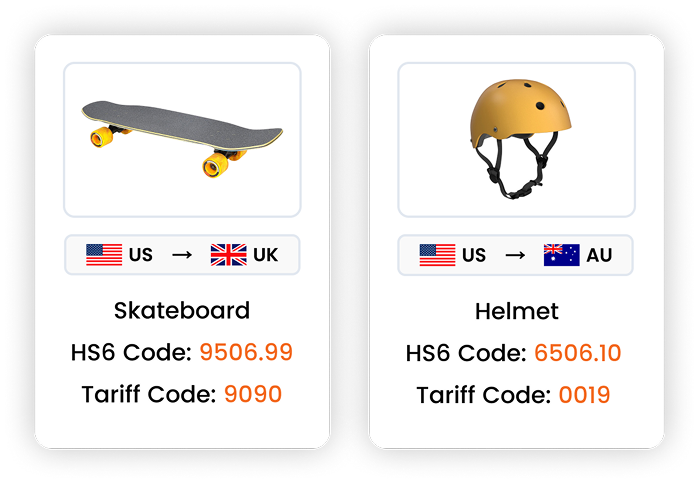
When selling and shipping goods globally, your product(s) need to be pre-assigned Harmonized System (HS) codes. EdgeTariff for WooCommerce lets you:
- Pre-classify each product with at least the
universal HS6 code - Extend H6 codes to destination country-specific
Tariff Codes, giving you Fully Qualified (FQ) codes - Use FQ codes for best-in-class accuracy in
expected duties & taxes calculations on the
checkout
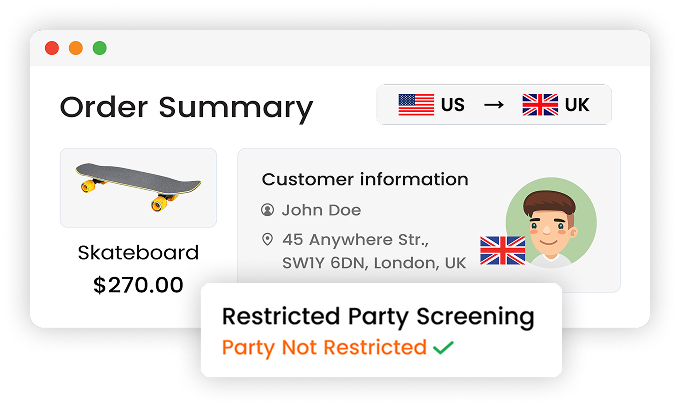
Restricted Party Screening
Screen overseas buyers against 33 live global denied party screening lists and ensure full
international trade compliance before you ship.
- Avoid legal penalties & shipment hold-ups
- Prevent selling to sanctioned individuals
- Protect your brand’s reputation
More Than Just Duties & Taxes
Multi-Carrier Select
Show your FedEx, UPS, DHL and own shipping rates on the checkout. Supports parcel, ground, and freight, including free or adjusted shipping.
Multi-Product Bundles
Create your own product bundles (e.g., hamper baskets) consisting of mixed and discounted products and still show expected duties & taxes.
Multi-Currency Checkout
Auto-detect overseas buyers and showing the checkout total landed cost in their local currency, using live FX rates from 170 currencies.
Getting Started
Live in Minutes, Simple 3-Steps
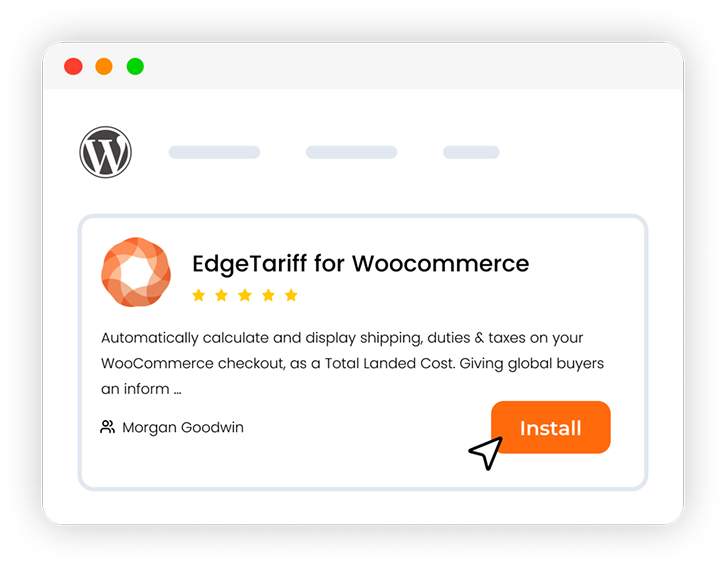
Install from WordPress.org
Search “EdgeTariff” in your WordPress plugin directory, select Install and then Activate. Free to download, and no development required.
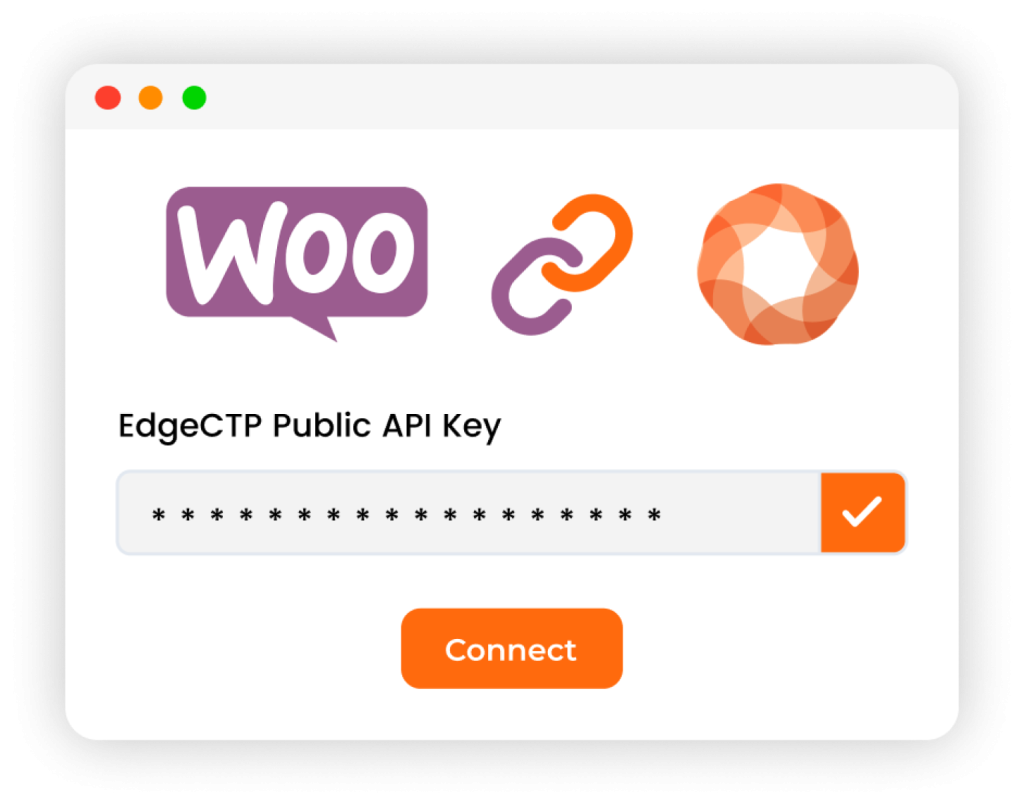
Connect Your EdgeCTP Account
Sign up at edgectp.com. Get your API key. Paste them into the plug-in settings. And just Connect your Woo store with Edge.
Go Live — Sell Globally
Test your Woo store checkout shows duties & taxes for your products (that have HS codes). Any issues? Get free onboarding support here.
Skout Organic
United State
Want to show duties & taxes on your WooCommerce
Install EdgeTariff and begin showing the Total Landed Cost (TLC) and ship Delivery & Duty Paid (DDP) to your international customers today.
Frequently Asked Questions
An immediate way to get started with EdgeCTP/EdgeTariff for WooCommerce is to: 1) go to the WooCommerce WordPress plugin directory, search for “EdgeTariff”, install and activate the plugin; 2) go to www.edgectp.com and sign up and then connect your Woo store in EdgeCTP’s settings (Shipping accounts may also need to be connected), and finally, 3) check your Woo store’s checkout is showing expected duties and taxes for those products that have HS codes pre-assigned to them. If doing these 3 steps is daunting, then request a demo and take advance of our limited offer for free assisted onboarding, which means we help you get started in 30 mins or so.
EdgeTariff shows to overseas buyer the cost of goods, shipping rates, duties and taxes, which summed together is the Total Landed Cost (TLC), on the checkout. This transparency on the checkout allows the buyer to make an informed decision BEFORE making the purchase. As a result, buyer’s remorse is eliminated from a price point of view, and potential international sales increased from repeat purchases because the duty and tax uncertainty is removed.
The leading integrated carriers, such as FedEx, DHL Express, UPS, Saia etc., are fully compatible with EdgeCTP and EdgeTariff, with more being added following each release. Additionally, as a merchant, it’s your shipping account with these carriers, that drives the rates shown on the checkout, which you can adjust to suit your fulfilment needs.
Yes, you can get your tech team to contact us and request an EdgeTariff API sandbox environment and supporting documentation. Once developed your customized ecommerce store or checkout can show the expected duties and taxes as would appear in a standard WooCommerce store checkout.
